Generate from a prompt
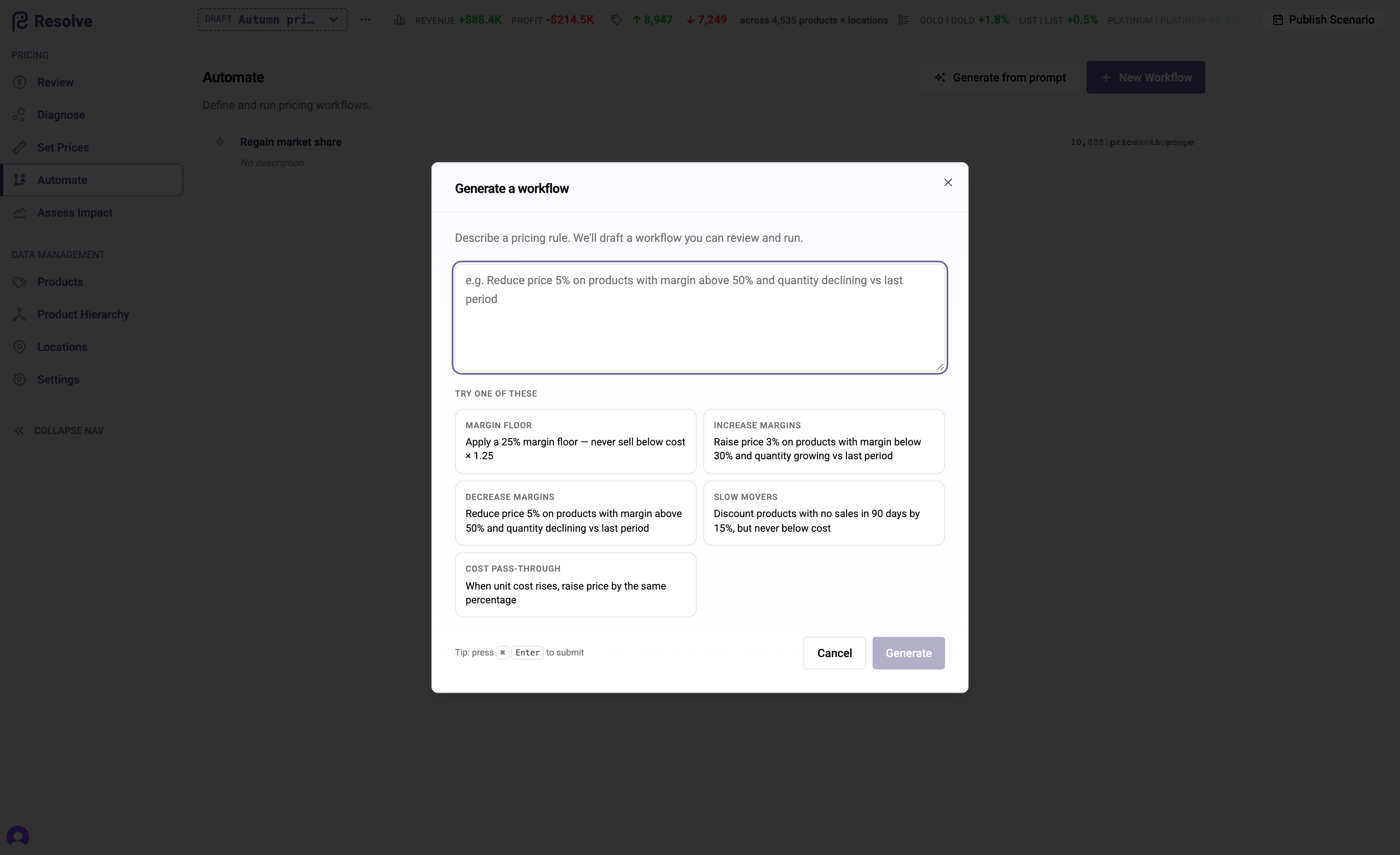
You don't have to build workflows node by node. Describe the pricing policy in plain language and Resolve drafts the workflow for you — triggers, decisions, actions, and the logic inside them.
Describing a policy
From the Automate page, choose Generate from prompt and write the policy as you'd explain it to a colleague:
- "Apply a 25% margin floor — never sell below cost × 1.25."
- "Discount products with no sales in 90 days by 15%, but never below cost."
- "Match the lowest competitor price on A-class products where we're more than 5% above it."
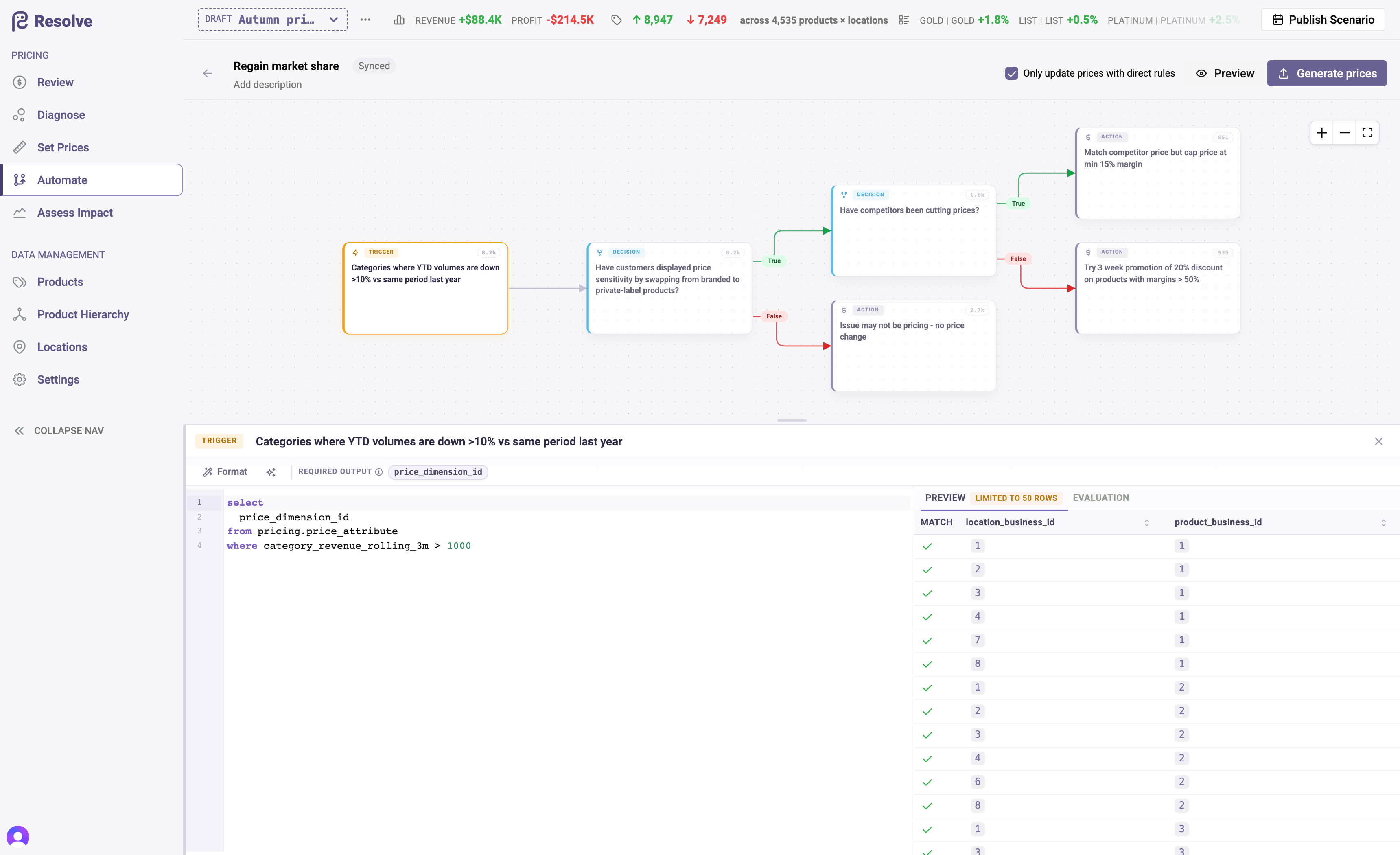
Resolve generates a complete draft workflow on the canvas. It is exactly as if you had built it by hand — inspect every node, adjust conditions, preview populations, and nothing prices anything until you run Generate prices in a scenario.
Refining a single node
Each node's logic can also be authored from a description. In the node panel, choose Describe first, state the condition or action in plain language, and Resolve writes the underlying logic; regenerate from an edited description whenever the policy shifts. When Resolve isn't sure what you mean, it asks you targeted multiple-choice questions before generating — answer them (or skip) and the draft reflects your clarifications.
For power users, every node's logic is also directly editable: Write SQL directly opens a full editor with schema-aware autocompletion over your attributes, price lists, and hierarchy, guided starter templates, and a results preview that runs the node against real data as you type.
Trust, but verify
Generated drafts are drafts. The verification loop is the same as for any workflow, and it's short:
- Preview — check the population counts at each node. Is the trigger catching roughly the number of products you expected?
- Spot-check branch samples — each node shows sample rows, so you can see which products went where and why.
- Generate prices in a scenario and read the result on the Review grid and in Assess Impact before it goes anywhere near publish.
Write the prompt like a policy, not a wish
The best prompts state population, condition, and treatment explicitly — "for products where X, do Y, but never Z". Guardrails you say out loud ("but never below cost") become guardrails in the generated actions.