Market comparison
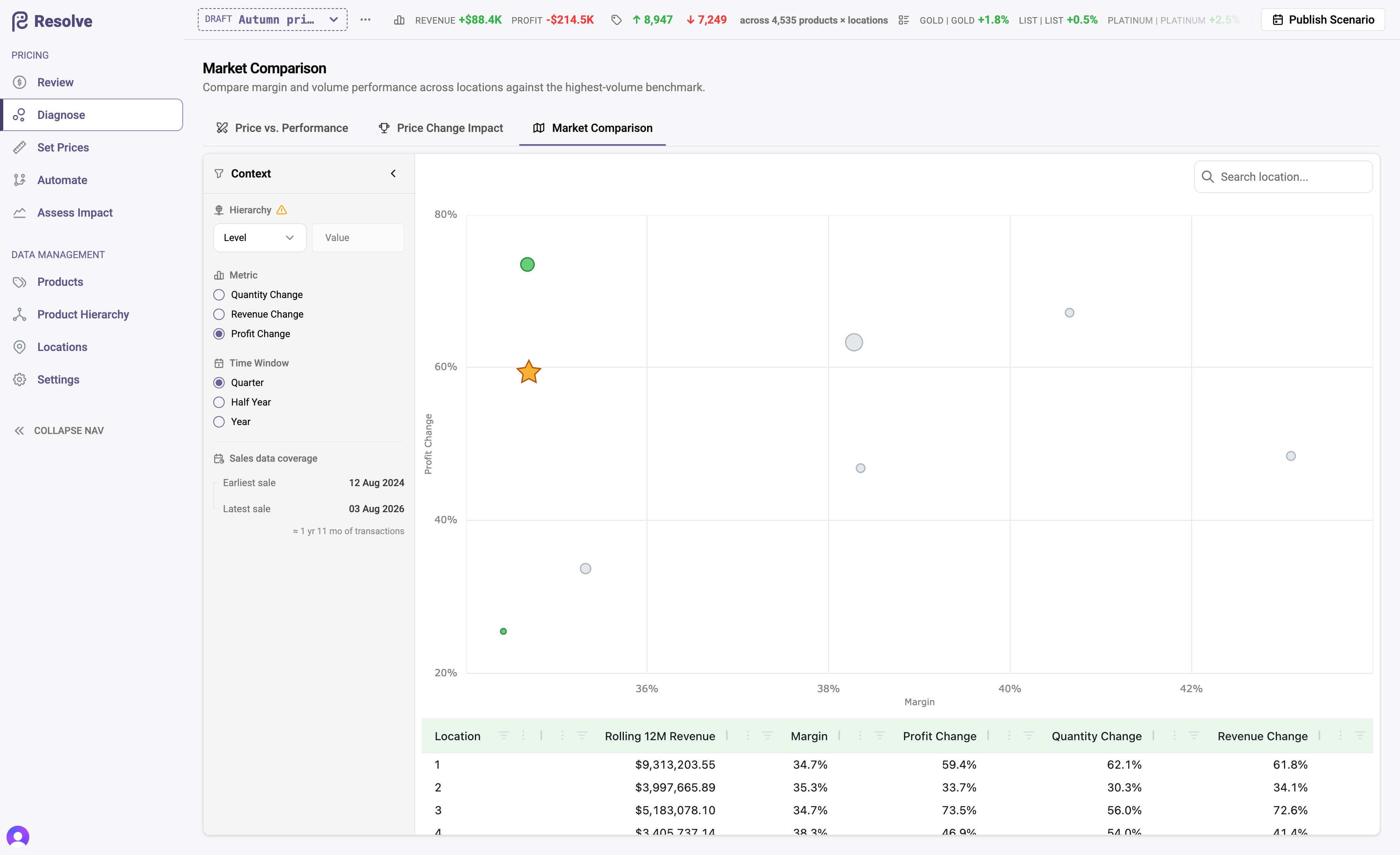
The Market Comparison tab compares your locations against each other: margin, volume trend, and revenue and profit movement per location, measured against your highest-volume location as the benchmark.
What it answers
Same products, same segments — different towns behave differently. This view puts every location on one table (rolling twelve-month revenue, margin, quantity change, revenue change, profit change) so the outliers surface:
- A location with visibly weaker margin — is it discounting through a segment it shouldn't be on, or carrying a mix that needs its own rules?
- A location losing volume while the benchmark grows — local competition, or a price level the market won't bear?
- A location beating the benchmark on both margin and growth — what is it doing that the pricing for other locations should copy?
From comparison to action
Location is a first-class pricing dimension in Resolve, so acting on a finding is direct: rules can target one location on the Set prices matrix, and workflow triggers can scope to any set of locations. A location-specific correction is a normal scenario like any other — draft, assess, publish.
Benchmark humility
The benchmark is your highest-volume location, not necessarily your best-run one. Read it as a reference point, not a target — the insight is in the spread, and in asking why it exists.