Reviewing prices
Review prices (the first item in the Pricing menu) is where you see the whole book: every resolved price, current and proposed, with the full story of how each one came to be. It is the page most pricing managers keep open all day.
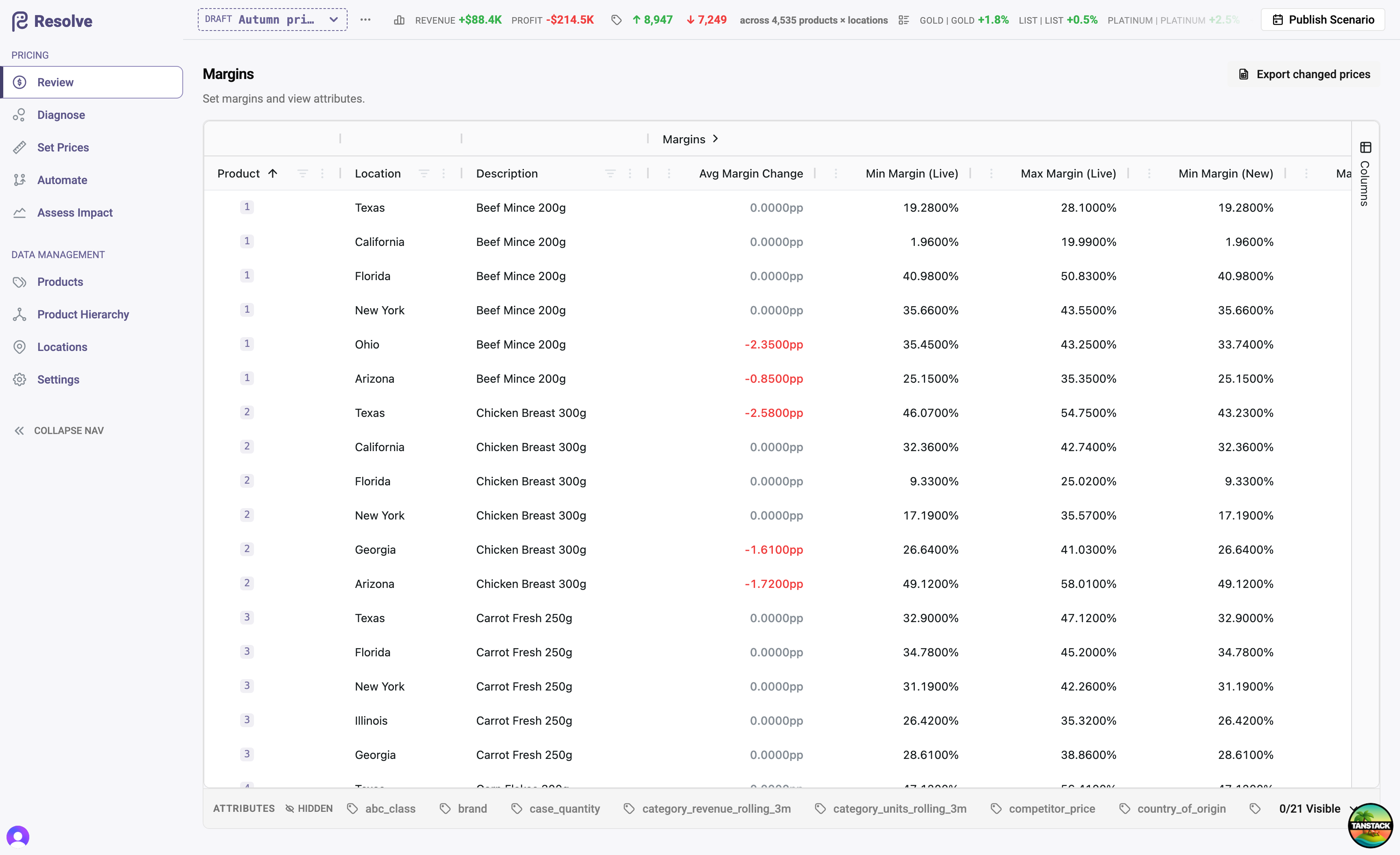
Reading the grid
Rows follow your product hierarchy — expand a category to lines, lines to products. Columns group into:
- Prices — the resolved price per location and segment. With a scenario selected you see New and Live side by side, plus min/max/average roll-ups at group level and the average price change.
- Attributes — any product attributes you choose to show alongside (unit cost, competitor price, brand…), so context lives in the same row as the price.
- Audit — who changed what, when, and by which mechanism (below).
- Scheduled — upcoming prices that haven't taken effect yet, with their effective dates.
Prices, margins, or markups — your choice
The Price Display Preference (in Global settings) switches the entire application between three views of the same rules: absolute prices, margin percentages, or markup multipliers. Grids, page titles, and edit forms all follow. Teams that think in margin work in margin — the screenshots in this guide show the margin view.
Every price has a story
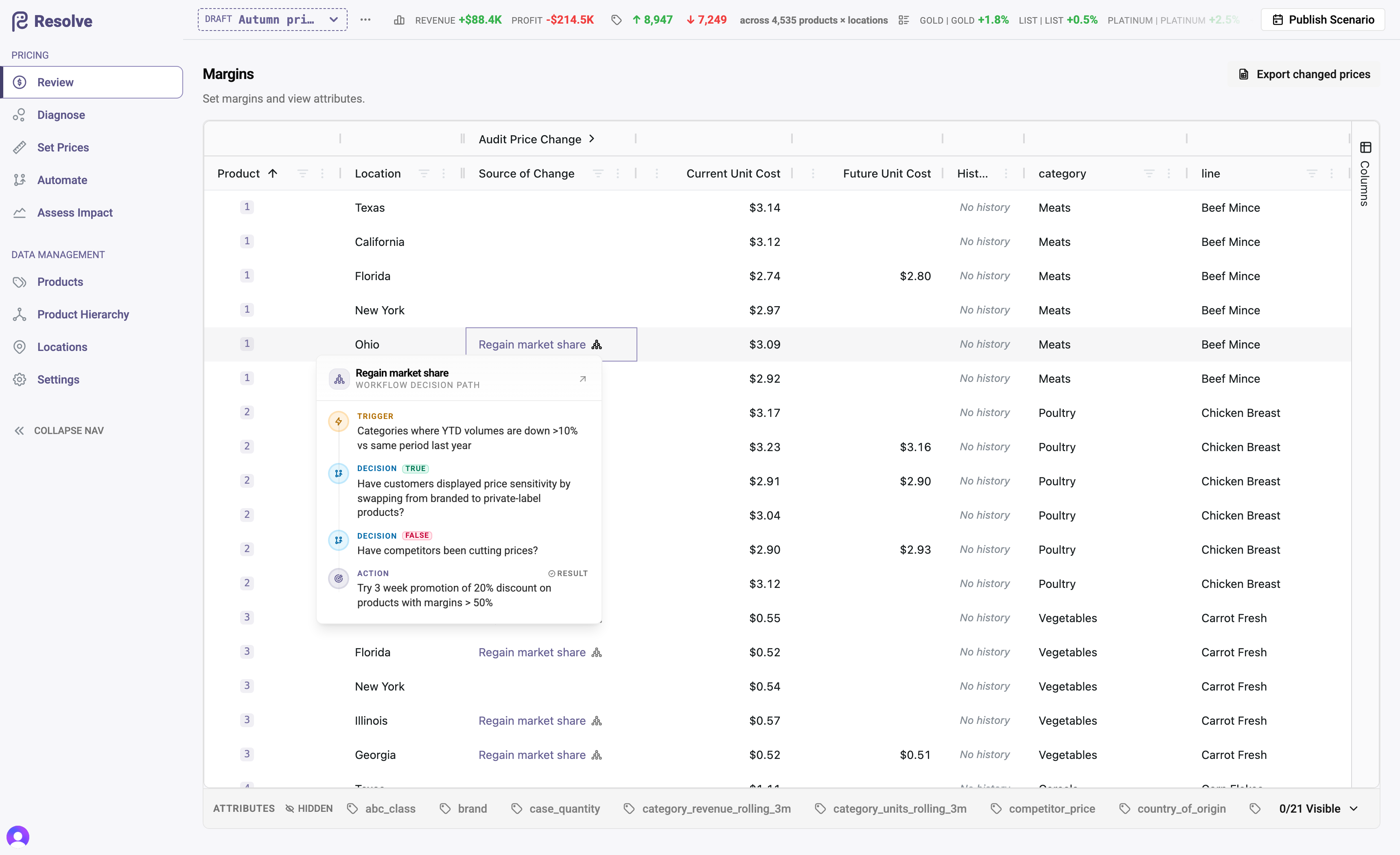
Resolve attributes every price change. The audit columns show, per product × location:
- Source of Change — the workflow that produced it, Manual for a hand-set rule, or External sync for a change that arrived from your ERP (see ERP & data exchange).
- Changed By — the person who made the change (or ran the workflow).
- Action Executed — for workflow changes, which branch of the workflow decided this price.
- Valid From — when the new price takes (or took) effect.
For a workflow-priced row, click through to the workflow decision path — a step-by-step popover showing the exact route the product took through the workflow's conditions to arrive at its price. "Why is this price what it is?" is always answerable without leaving the grid.
Price history
Each row's History opens the price's timeline — every past rule, when it applied, and what produced it.
Families in the grid
Family heads carry a crown, members a lock. A member's price cell always matches its head, and its attribution tells you it is family-aligned. See Product families.
Exporting what changed
Export changed prices produces a CSV of the scenario's price changes — the working document for a pricing review meeting, and the input to the publish keep-set if you decide to release only part of a scenario.
Reviewing a scenario before publish
A practical pre-publish checklist on this grid: sort by average price change to catch outliers; check the audit columns to confirm every change has the source you expect; open the decision path on a few workflow-priced rows to sanity-check the logic; and glance at Scheduled to make sure future-dated changes land when you intend.