Setting prices
Set prices is the pricing matrix: your product hierarchy down the rows, locations and segments across the columns, and a rule in every cell that carries one. This is where hand pricing happens — from a category-wide markup to a single product's price point in one store.
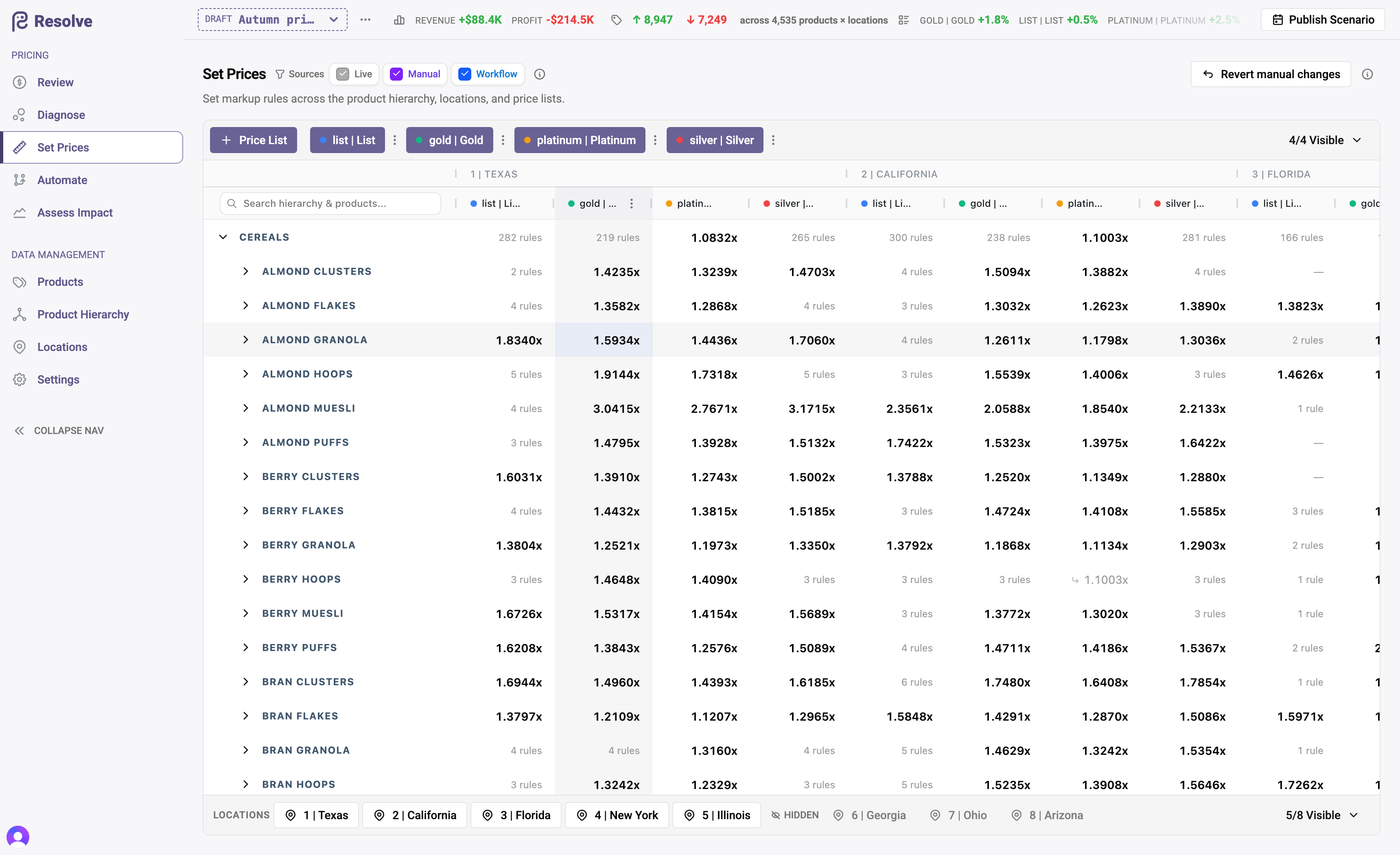
The matrix
- Rows are hierarchy levels and products. A rule entered on a category row inherits to everything beneath it — the fastest way to price broadly.
- Columns are location × segment. Use the location strip and Select segments to choose which combinations are on screen; create a new segment inline when you need a new tier.
- Cells show the effective rule. An inherited value renders differently from a direct rule, so coverage is visible at a glance.
Editing a cell
Click a cell to open the editor. It shows everything relevant in one place — current price, markup and margin, unit cost (and the future unit cost if one is scheduled) — and lets you:
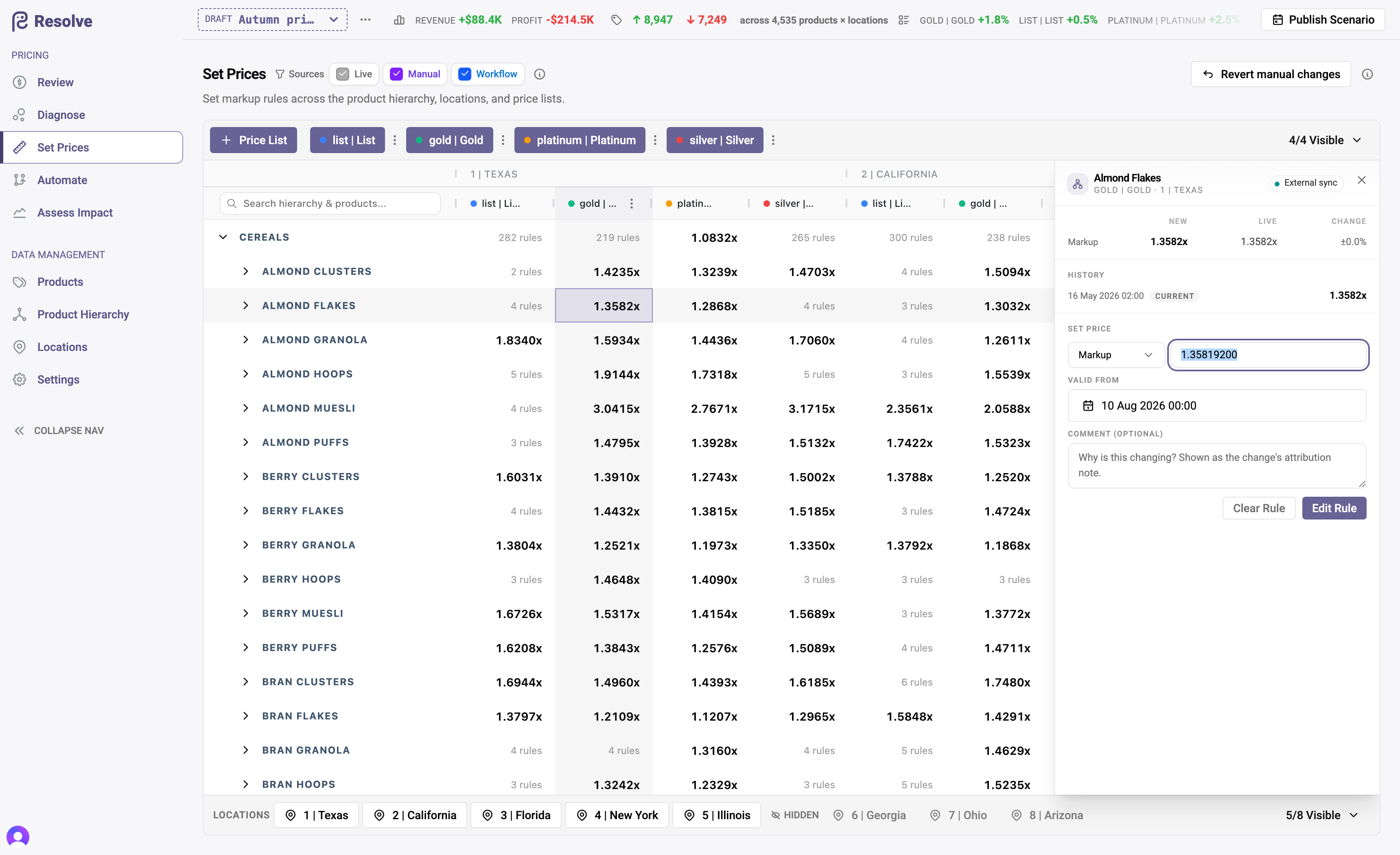
- Choose the rule type: Markup or Fixed Price.
- Set the value and the valid from — immediately (the scenario's go-live) or a future date for a scheduled change.
- Record why: an attribution note that travels with the change and shows up in the Review grid's audit trail.
- Clear Rule — remove the direct rule so the cell falls back to its inherited price; or remove just this scenario's change to return the cell to Live.
- Review the cell's Scheduled changes and History without leaving the editor.
Manual edits and automation
Manual rules are deliberately stronger than automation. Inside a scenario, a hand-set rule owns its cell: workflow runs will not overwrite or delete it, and making a manual edit clears any workflow output already sitting there. Your judgement wins; the workflow works around it. The full precedence model is described in Workflows.
To see at a glance which rules were set by hand versus by automation, use the Sources filter (Manual / Workflow). To undo hand pricing in bulk, Revert manual changes removes the scenario's manual edits — grid edits and equivalent updates — while leaving workflow-generated rules standing.
Family members are locked
Cells belonging to family members can't be edited — they follow their family head. Price the head instead; see Product families.
Work at the highest level that's true
Before overriding a product, ask whether the change is really about the product or about its group. Group-level rules are fewer, easier to audit, and automatically cover new products added later.